
Download Knapsack – Travel Planner, Itinerary Manager & Photo Journal
Overview
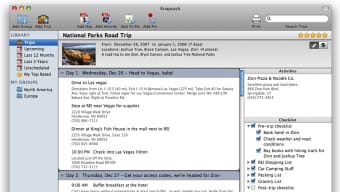
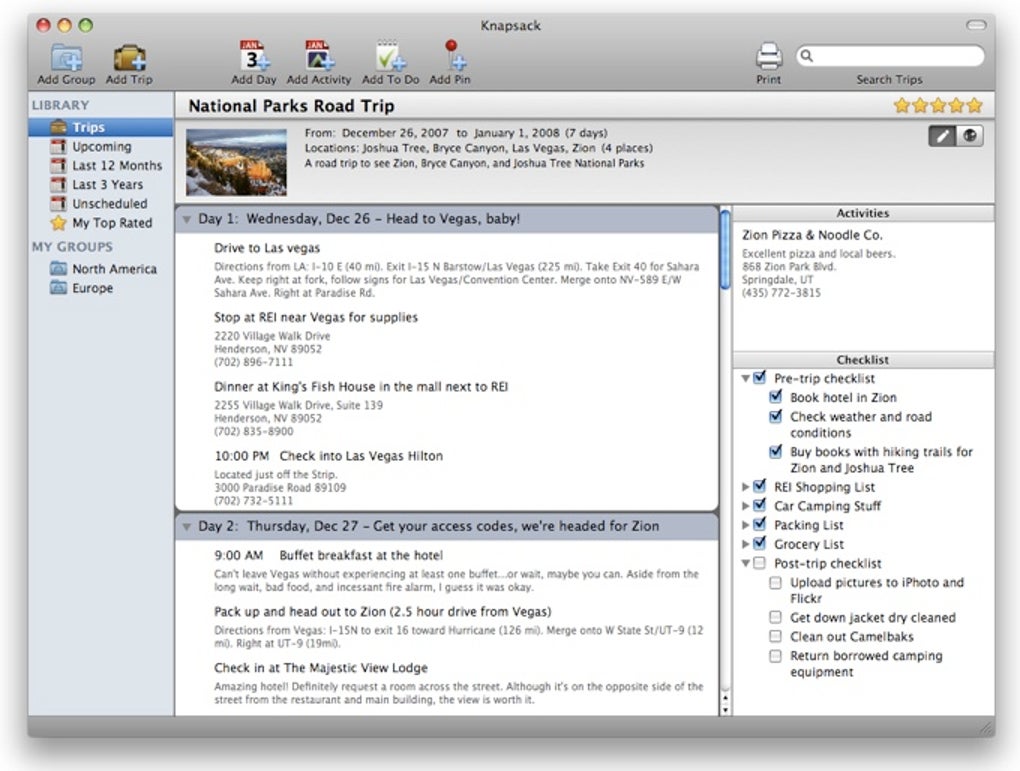
Knapsack is a dedicated travel‑manager app designed for wanderers, gap‑year students, and anyone who wants to keep a detailed record of their journeys. Unlike a public blog, Knapsack works as a personal, secure workspace where you can plan routes, write daily notes, store photos, and generate printable checklists. The interface mimics the familiarity of iTunes, allowing you to create “groups” and “smart groups” for each adventure—whether you’re mapping a backpacking trek across Southeast Asia or a road‑trip across the United States.
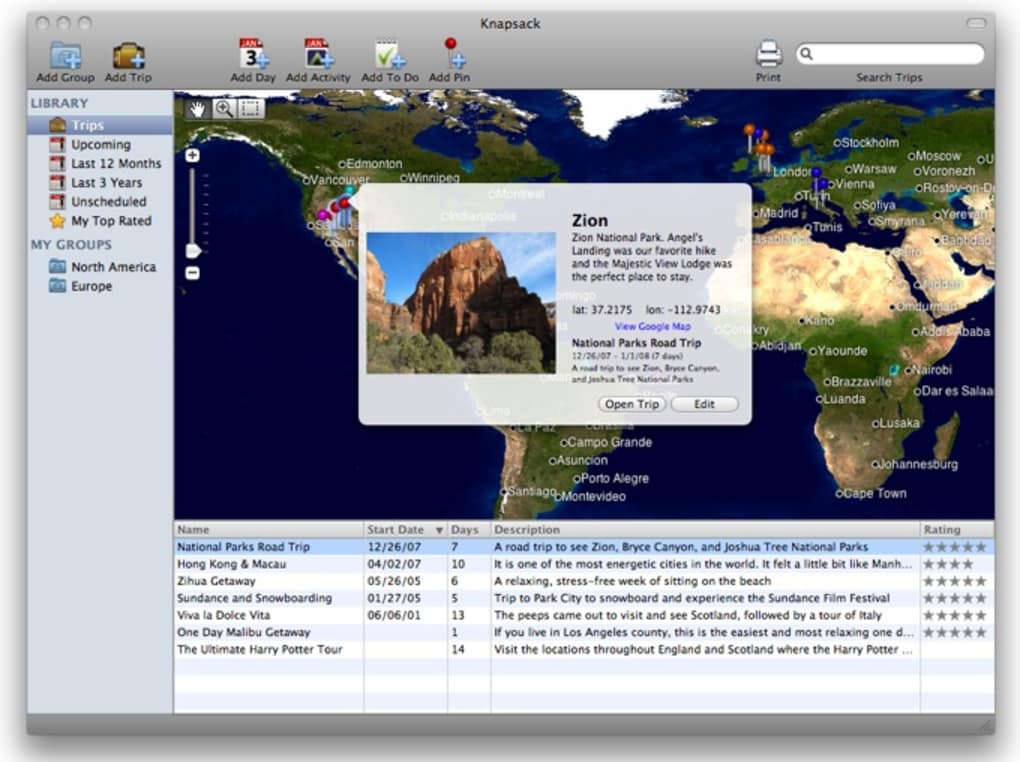
A built‑in interactive map lets you pin destinations, visualize the whole itinerary, and instantly jump to a specific city with a single click. The program also supports sample trips, giving you a sandbox to experiment with dates, budgets, and activities before committing to a real itinerary. While Knapsack does not provide a social commenting system, its strength lies in its all‑in‑one organization: you can write journal entries, attach high‑resolution photos, and maintain a master checklist that syncs across all your devices.
The recent update fixes date‑formatting bugs in printed itineraries and resolves 64‑bit compatibility issues, making the tool more reliable for Windows, macOS, Android, and iOS users. In short, Knapsack is the perfect companion for students planning a gap year, families preparing a summer vacation, or solo travelers who simply want a secure, offline‑first travel planner.
Key Features, Pros & Cons
Core Features
- Interactive world map for pinning destinations and visual itinerary planning.
- Group and smart‑group organization similar to iTunes playlists.
- Rich text journal entries with embedded photo galleries.
- Customizable checklists for packing, sightseeing, and networking.
- Sample‑trip builder for future travel scenarios.
- One‑click printable itinerary and checklist export (PDF/HTML).
- Cross‑platform sync – Windows, macOS, Android, iOS.
- Secure offline storage with optional cloud backup.
- Automatic updates for map data and app features.
Pros
- All‑in‑one solution: No need for separate map apps, note‑taking tools, or packing list generators.
- Offline‑first design: Works without an internet connection, ideal for remote destinations.
- Visual planning: The map view provides a global perspective that spreadsheet planners lack.
- Export flexibility: Printable PDFs make sharing with travel companions easy.
- Free core version: Download and start planning without a subscription.
Cons
- No built‑in social sharing or commenting feature.
- Advanced analytics (budget tracking, mileage reports) are only available in the paid upgrade.
- Learning curve for smart‑group rules may be steep for first‑time users.
- Desktop UI feels dated on macOS compared with native travel apps.
Installation, Usage & Compatibility
How to Download and Install
To get started, visit the official Knapsack website and click the Download button that matches your operating system. The installer is signed with a trusted certificate, ensuring a secure download. For Windows users, run the .exe file and follow the wizard—accept the license agreement, choose an installation folder, and click Install. macOS users download a .dmg file, drag the Knapsack icon into the Applications folder, and launch the app. Android and iOS versions are available on Google Play and the App Store; simply search for “Knapsack Travel Planner” and tap Install. After installation, the first launch triggers a brief onboarding tour that explains map navigation, group creation, and journal entry basics.
Step‑by‑Step Usage
1. Create a new Group: Click the “New Group” button, name your trip (e.g., “South America Gap Year”), and set the start/end dates.
2.
Add Destinations: Use the map toolbar to drop pins, then fill in city names, arrival/departure times, and notes.
3. Build Checklists: Within each destination, generate packing lists or activity checklists.
You can mark items as “Essential,” “Optional,” or “To Buy.”
4. Write Journal Entries: After each day, open the journal tab, type your experiences, and attach photos directly from your device.
5.
Export & Print: When you’re ready, select “Export Itinerary” to generate a PDF that includes maps, checklists, and journal excerpts.
6. Sync & Backup: Enable cloud sync in Settings to keep your data safe across all devices.
The free tier stores up to 10 GB; paid plans increase this limit.
Compatibility
Knapsack runs on the major desktop and mobile platforms: Windows 10/11, macOS 10.15+ (Catalina and later), Android 8.0+, and iOS 13+. The app has been tested in 64‑bit mode, resolving earlier stability issues. Because the core data files are stored locally in an encrypted SQLite database, the program remains functional even when a device is offline, making it a reliable travel companion in remote areas with limited connectivity.
Review Summary
Rating: 4.5/5
Knapsack delivers a comprehensive travel planning experience that feels both powerful and approachable. Its map‑centric UI, flexible checklist system, and offline‑first architecture make it stand out among generic note‑taking apps. While the lack of social features may disappoint some, the secure, personal nature of the software is a clear advantage for users who value privacy. Overall, it’s a solid free tool that scales well with a paid upgrade for power users.
FAQ & Conclusion
Frequently Asked Questions
-
Is Knapsack really free?
Yes, the core version is completely free. It includes map planning, journal entries, and unlimited checklists. Optional premium features (advanced budgeting, extra cloud storage, and priority support) are offered via a subscription.
-
Can I use Knapsack on multiple devices?
Absolutely. With the cloud‑sync option enabled, your trips are stored securely and appear instantly on Windows, macOS, Android, and iOS devices.
-
How does the map integration work?
Knapsack uses an offline‑capable vector map that updates automatically. You can drag pins, draw routes, and switch between satellite and street view without leaving the app.
-
Is my data encrypted?
Yes. All local databases are AES‑256 encrypted, and cloud backups use TLS‑1.3 during transmission. Your travel stories remain private unless you choose to share them manually.
-
What happens if I lose my device?
If you have cloud sync enabled, simply reinstall Knapsack on a new device and log in with your account. All itineraries, photos, and checklists will be restored automatically.
Conclusion – Start Planning Your Next Adventure Today
Knapsack combines the visual power of a map with the organizational depth of a dedicated travel journal. Its free, secure, and offline‑first design makes it a trustworthy companion for gap‑year students, families, and solo explorers alike. By streamlining itinerary creation, checklist management, and photo archiving into a single, cross‑platform app, Knapsack eliminates the need for a patchwork of separate tools. Ready to turn your travel dreams into a printable, share‑ready plan? Download Knapsack now and start charting your next adventure with confidence.







